Video Finder: How to Find Any Video Online Using AI Tools
A practical video finder workflow for locating any video online from a clip, screenshot, quote, URL, or file using reverse video search and AI tools.

A video finder is useful when you have the clip but not the context. Maybe someone sent you a short video with no title. Maybe you saved a screen recording months ago. Maybe a clip appears in a compilation and you need the original source.
The old answer was to guess keywords and hope. In 2026, the better answer is to combine reverse video search, frame search, quote search, metadata checks, and AI-assisted visual analysis.
This guide gives you a repeatable workflow for finding almost any video online, even when you start with only a screenshot, a short clip, or a vague memory of what happened in the video.

What Is a Video Finder?
A video finder is a method or tool that helps identify a video's source, title, uploader, platform, or related copies.
It can start from:
- A video file
- A public video URL
- A screenshot from the video
- A spoken quote
- A visible watermark
- A face, object, landmark, or scene
- A thumbnail
- A partial filename
No single method works every time. The best workflow uses multiple clues.
Start With the Strongest Clue You Have
| What you have | Best first method |
|---|---|
| Full video file | Reverse video search |
| Short clip | Keyframe extraction and reverse search |
| Screenshot | Reverse image search from video frame |
| Spoken quote | Exact phrase search |
| Visible watermark | Platform and username search |
| Landmark or object | AI visual description plus keyword search |
| URL | Metadata and platform search |
If one path fails, switch inputs. A bad frame can fail while a different frame succeeds.
Method 1: Use Reverse Video Search
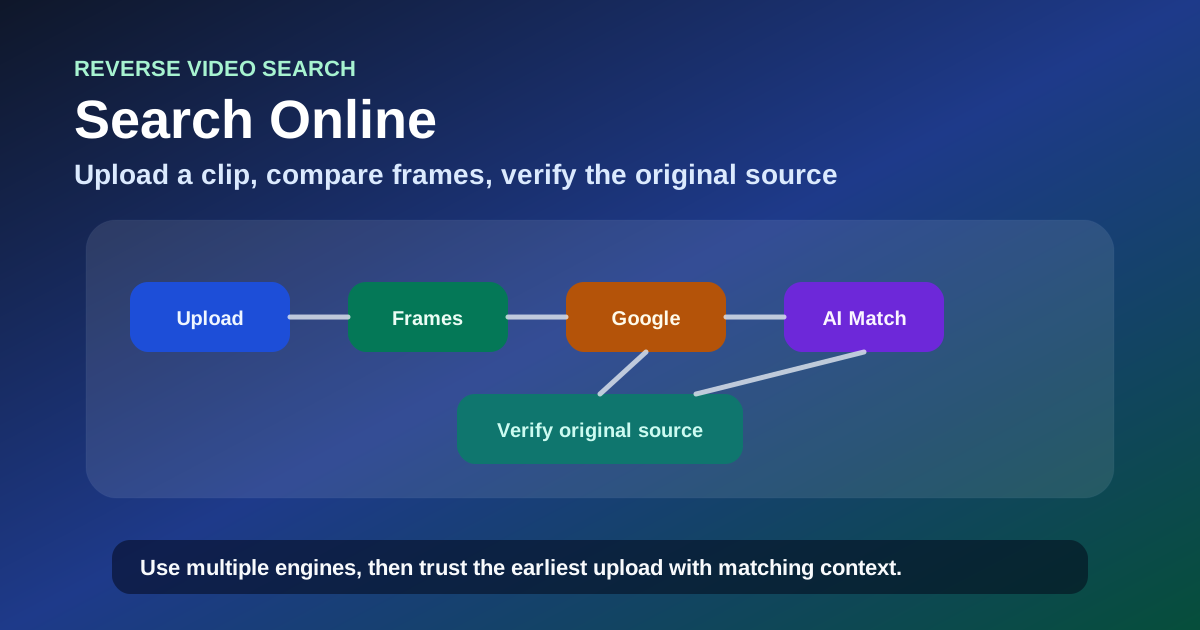
If you have the actual video file or public URL, start with a reverse video search tool. This approach analyzes multiple frames instead of relying on one still image.
Use this when:
- The clip was reposted
- The video was cropped
- The title is missing
- The same footage appears on multiple platforms
- You need the earliest or highest-quality version
A reverse video search can often find duplicates, reposts, source pages, and related uploads faster than keyword search.
Method 2: Extract Keyframes
If a full reverse video search does not work, pull several clean frames from the clip.
Choose frames that show:
- Faces
- Unique objects
- Landmarks
- Text on screen
- Logos
- Clear scene composition
- The moment before or after the main action
Avoid blurry frames, transition frames, heavy subtitles, and frames covered by UI buttons.
Search each keyframe separately. One frame may fail because it is too generic, while another contains the exact visual clue needed.
Method 3: Search Visible Text and Audio
Videos often contain searchable clues:
- Subtitle text
- On-screen captions
- Street signs
- Product labels
- Channel names
- Spoken phrases
- Song lyrics
- News lower-thirds
Use quotation marks for exact phrases. If the video has a distinctive spoken sentence, transcribe a short phrase and search it.
Example:
"we built this in three days" "video"If the phrase is common, add a visual clue:
"we built this in three days" robot labMethod 4: Use AI to Describe the Scene
AI can help when you do not know what to search for. Upload or describe a frame and ask for objective visual details:
- What objects are visible?
- What location type is this?
- Are there logos or uniforms?
- What activity is happening?
- What words appear on screen?
- What search keywords would describe this scene?
Then search the generated keywords manually. Do not rely on AI to identify the video by itself unless it provides verifiable sources.
Method 5: Check Metadata and File Clues
If you have the file, check:
- Filename
- Creation date
- Resolution
- Codec
- Embedded metadata
- Download folder history
- Messaging app export names
Metadata rarely gives the full answer, but it can narrow the search window.
Method 6: Search by Platform Patterns
Different platforms leave different clues.
TikTok clips often have watermarks, sounds, captions, and creator handles. YouTube clips may have thumbnails, titles, auto captions, and channel names. Instagram Reels may preserve usernames or audio tracks. X reposts may include quote text or cropped watermarks.
If you suspect a platform, search within that platform as well as the open web.
Troubleshooting: Why You Cannot Find the Video
| Problem | Likely reason | What to do next |
|---|---|---|
| No matches | Clip is new or private | Search later and try frame search |
| Too many matches | Frame is generic | Use a more distinctive frame |
| Wrong results | AI description is too broad | Add exact text, location, or object clues |
| Only reposts found | Original was deleted or private | Look for earliest upload date and watermark trail |
| Search finds images only | You used a still-frame tool | Try reverse video search with the clip |
Video Finder Checklist
- Save the original file or URL
- Run reverse video search
- Extract 3-5 clean keyframes
- Search visible text and spoken quotes
- Ask AI for objective scene keywords
- Check metadata and platform clues
- Compare upload dates to find the likely source
- Save evidence links before pages disappear
FAQ
What is the best way to find a video online?
Start with reverse video search if you have the clip. If you only have a screenshot, use reverse image search on multiple clean frames.
Can AI find any video from a description?
AI can help generate search terms, but it cannot guarantee identification without indexed sources. Use AI for clue extraction, then verify with search results.
Can I find a deleted video?
Sometimes. Look for reposts, cached pages, thumbnails, quotes, or archived references. If the original was private and never reposted, it may not be findable.
Is a screenshot enough to find a video?
Often yes, especially if the screenshot includes a face, landmark, logo, text, or unique object. Generic frames are less reliable.
Final Advice
A good video finder workflow is not one search. It is a sequence: search the clip, search keyframes, search text, extract visual clues, and compare dates. Each step adds a new chance to identify the original source.
Author

Categories
More Posts
Reverse Video Search Online: 6 Free Ways to Find Any Video Source in 2026
Learn how to do a reverse video search online using free tools, Google, and AI. Step-by-step guide to the best websites for reverse video search with real methods that work.

Siri AI: Everything Apple Announced at WWDC 2026 — Features, Release, Compatibility
Apple rebranded its intelligent assistant as Siri AI at WWDC 2026. Here is what changed: conversational experience, personal context, onscreen awareness, App Intents integration, compatible devices, language support, and release timeline — based on official announcements and developer documentation.

Find Video From Image: Reverse Image Search for Video Sources
Learn how to find a video from an image or screenshot using reverse image search, keyframes, AI visual clues, and reverse video search workflows.
Newsletter
Join the community
Subscribe to our newsletter for the latest news and updates